Technlogy

Get Updated by exploring new tech news in our Bite-It ZONE

Know-More

Know many more things that are useful to you and improve your skills

Tips and Tricks

Here is the right place to Explore more tips and tricks related to computers and mobiles etc..

Current Affairs

Be updated with what is going around you, by visiting this site frequently..

Showing posts with label Mobiles. Show all posts

Sunday, January 1, 2012

2012 Mobile Roadmap


Mobile computing, consisting of smartphones and tablets, has been the most exciting part of the computing landscape for the past several years and that promises to remain true in 2012. In fact, you could argue smartphones have replaced traditional PCs as the center of the technology market since smartphone sales overtook PC sales this year (even though the PC market continues to grow, albeit at a slower pace).
The past few years have seen some truly revolutionary steps: the acceptance of the smartphone, the introduction of the iPad and Android-based consumer tablets, and the introduction of LTE. Nonetheless, 2012 foreshadows more evolution.
Operating Systems
Mobile operating systems have truly defined smartphones and tablets recently, and that's likely to stay the same. The first big change for next year should be the introduction of many more phones and tablets that run Android 4.0, known as Ice Cream Sandwich. The first phone based on this technology, the Samsung Galaxy Nexus, is already out (here's my take), and a number of vendors have said some of their existing models will be upgraded to the new OS shortly. But 2012 is likely to see dozens of new phones and tablets all designed to run Android 4.0.
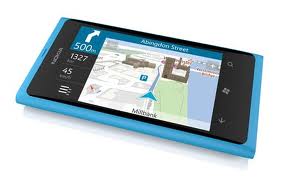
Microsoft's 2012 roadmap is also getting a lot of attention. For tablets, the company will push Windows 8, running on both traditional x86-based computers and on systems based on chips from ARM-based vendors Nvidia, Texas Instruments, and Qualcomm. Although it will run on desktops and traditional notebooks as well, Windows 8 seems very much optimized for tablets. For phones, we haven't seen many details yet, but Microsoft—which just shipped Windows Phone 7.5, known as Mango in October—is working on Windows Phone 8, called Apollo, for the later part of 2012. It may well have an interim release in between. The other OS vendors will be upgrading their systems, as well.
Research In Motion has promised a February update for its PlayBook tablet OS. That should include native email messaging and calendar clients. In the later part of 2012, RIM has promised a new OS, called BlackBerry OS 10, which combines features from the QNX-based PlayBook OS with the traditional BlackBerry ones. One particularly interesting feature promised is a "Player" that will allow some Android applications to run on BlackBerrys.
And finally, there's Apple, which, as usual, has remained very tight-lipped about its plans. The latest version of its mobile OS, iOS 5, shipped just this fall, so it would be surprising to see a major revision any time soon.
Networks and Screens
Verizon rolled out its 4G LTE service this year on a variety of phones and says its service now reaches over 186 million Americans. AT&T is in the process of rolling out its service and recently released its first LTE phones. Sprint, which has backed Wimax for 4G until now, has said it will be launching LTE in mid-2012. U.S. Cellular is also planning an LTE rollout. Of the major carriers, that leaves T-Mobile, which is promoting its HSPA+ network as 4G, as the only one without an LTE strategy.
As a result, we're likely to see a lot more LTE devices next year. So far, just about all the LTE phones and tablets run Android, but Nokia has promised an LTE Windows Phone in 2012 and other makers seem likely to follow. BlackBerry is expected to get LTE support with the BlackBerry 10 OS. Apple isn't talking, but everyone assumes LTE support is coming next year, as well.
Over the past few years, led by the iPhone 4's retina display, almost all smartphones have dramatically increased their screen resolutions. While tablets often have a higher resolution display, it is spread over a larger area so the pixel density has been notably less. In 2012, I expect many of the screen makers, and thus many of the tablet makers, to offer higher-density displays, both from traditional LCDs and Active Matrix OLED (AMOLED) screens.
Mobile Chips
Until a few years ago, no one outside of the industry cared which processors were running our mobile devices. Now, that has changed. Processors are routinely used to differentiate phones and tablets.
The vast majority of these devices run some version of the ARM architecture and the various makers of ARM-based chips compete, updating the number of cores, increasing performance and power efficiency, and enhancing integration.
Just about all of the major mobile chip vendors now have dual-core processors, but Nvidia has taken multi-processing to a new level. Its Tegra 3 chip, known as Kal-El, has four standard ARM Cortex-A9 cores plus an additional "companion core" that runs at low-power when the more powerful chips aren't needed. The Asus Transformer Prime pioneers the chip but Nvidia has said it expects new tablets and phones with Tegra 3 and Android 4.0 Ice Cream Sandwich to be out in the first quarter of 2012.
The advantage of this chip, Nvidia said, is that it allows higher-performance games and 1080p playback, all while using notably less power than its previous Tegra 2 dual-core processor. Sometime next year, the company plans an improved version known as "Tegra 3+," followed by a major upgrade known as "Wayne" in the second half of the year and a version with an integrated baseband processor known as "Grey" in 2013.
Next year, Qualcomm will introduce its Snapdragon S4 line. It will use a CPU core known as Krait, which combines the baseband processor (for controlling the radio) with the applications processor on a 28nm process and will also feature its Adreno graphics. This should include such things as integrated LTE support and lower power usage, along with notably higher performance. These will be dual-core processors with integrated basebands; Qualcomm will also offer a quad-core S4 application processor with no baseband for tablets and other mobile computing devices.
Texas Instruments' OMAP4 line has been chosen as the initial processor for the first Android 4.0 devices, as well as the Kindle Fire and the Nook Tablet, and has a big change planned for next year's OMAP5. This chip uses a new core from ARM called the Cortex-A15, which allows for 40-bit instructions (versus 32 in the current ARM Cortex-A9). TI has said this chip will have dual A15s running at 2 GHz or faster, as well as two Cortex-M4 cores for low-power applications and Imagination Technologies' PowerVR graphics.
Nvidia, Qualcomm, and Texas Instruments devices are used in Android phones and tablets and will be used in Windows 8 designs, as well.
But there are a number of other ARM-based vendors who sell chips for smartphones and tablets.
Samsung is already sampling its own Exynos series of processors using a 32nm process and dual Cortex-A15 cores, and is the first company to ship that core. To date, Samsung has mostly used its processors internally, rather than selling to other phone makers, but we'll see if that changes. ST-Ericsson has a new family of processors known as NovaThor, available either as separate application processor and baseband chips or an integrated solution, and has historically been quite strong at Nokia. Marvell has single, dual, and quad-core ARM chips as part of its Armada family of applications processors.
Freescale is sampling one-, two-, and four-core versions of its i.MX6 family, including a quad-core Cortex-A9 version with a 64-bit memory bus and Vivante graphics. While Freescale focuses more on "intelligent systems" and embedded markets, it has also seen success with e-book readers and low-end tablets, and will be breaking into the tablet market next year. Broadcom, which is known for its highly-integrated connectivity chips (Wi-Fi, Bluetooth, etc.), is also making a move into the smartphone category with application processors and 4G LTE basebands. A few companies that make processors based on the MIPS core (a competitor to ARM) are working on Android-compatibility versions, as well.


But it's Intel that really hopes to change the market by embracing Android 4.0 with a new design of its x86-compatible Atom chip, known as Medfield. Intel has long promised it would be a player in the phone market, but has always come up short. Through the chip's support of Android and its move to 32nm technology, Intel hopes to be more of a player in 2012, and I expect to see a big push for this at CES in January.
For the past several years, Intel's Atom has been on 45nm technology, while its Core processor line has been on new process technology. That will change over the next few years with a 32nm architecture known as Saltwell slated for 2012, a 22nm version known as Silvermont for 2013, and a 14nm version known as Airmont in 2014—all of which have multiple chips. On the 2012 32nm roadmap, Medfield is aimed at Android-based tablets and smartphones, while Clover Trail is aimed most directly at Windows 8 tablets. (Of course, you'll also see some Windows 8 tablets based on the more powerful but more power consuming Core family, using notebook style chips.)
AMD also plans a break into tablets and smartphones with Desna, a variation of its E-series processor based on the low-power Bobcat core. This was slated to be replaced in 2012 by a version known as Hondo, but AMD's roadmap is currently unclear.
And then there's Apple, which of course, hasn't announced its plans. It is widely expected, though, that its dual-core A5, based on the ARM architecture and manufactured on Samsung's 45nm process, will be replaced by a new processor called the A6, widely rumored to be on a 28nm or 32nm process with four cores. I'd be very surprised to see a new iPhone next year without a new processor.
From operating systems and processors to screens and networks, 2012 promises all sorts of changes for makers of mobile devices. Will either of the two companies that have dominated the traditional PC—Microsoft and Intel—come back and impact the smartphone and tablet market, where smaller competitors have thus far been much more successful?

By monty with No comments

Tuesday, December 20, 2011

Nokia Money: Is India ready to switch to a mobile payment solution?

It is quite surprising that while several established banks and marketing companies offer a raft of services, most are not actively looking to cash in on an important, and soon to be vital, part of any business: the ability to make and accept mobile payments. Mobile payments are now becoming an increasingly vital tool in a business’ armoury. It is projected that mobile payments are going to replace plastic, or even hard currency, as the primary medium of monetary exchange in the next five years. This particular method is poised to change the way consumers buy goods and services.

Quite a few banks have their payment apps for smartphones, however, in a country like in India where feature phones are still majority, the concept of apps will not work for the masses. Several payment solution providers are seeking to address this problem. Nokia, the manufacturer of some of the most widely used mobile phones in the country, is also seeking to address the issue with its recently launched its mobile payment service, Nokia Money. The Nokia Money works with feature phones and allows most basic monetary transactions ranging from mobile top-ups to ticket booking, without the necessity of having a bank account.
Nokia’s mobile wallet service is aimed at rural India, where most of the people do not have a bank account or don’t own a smartphone, personal computer or credit/debit cards. Nokia also aims to simplify lives of people by giving them a secure and convenient method of paying their utility bills. Prior to the launch, Nokia had conducted a successful field test for about a year in areas such as Pune, Nashik and Chandigarh. The company partnered with YES Bank and Union Bank of India to provide the service.

Nokia Money: Key points:
To avail Nokia Money, you need not have a bank account.
Nokia Money is independent of network carriers and individual banking networks.
The service works without any kind of KYC documentation.
Nokia Money works with almost every Nokia phone. The feature comes pre-installed in various Nokia phones including Nokia 100, and 101.
You do not need set up an Internet connection to run this service. However, while registering for the service, you can opt between SMS and Internet. This way you have the flexibility of using the service even on an Internet data plan. You can also use Nokia Money via GPRS.
You have an option of choosing/subscribing to either Union Bank Money or YES Bank Mobile Money Services.
Nokia Money can be used for varied functions, such as topping up mobile account of family members.
Nokia Money is reportedly being tested using NFC devices and NFC chips. We can expect Nokia Money to run on NFC in near future.
It is not clear whether this service can be used on handsets manufactured by other manufacturers or not, though watblog.com says Nokia Money works on all handsets.

By monty with No comments

Wednesday, December 14, 2011

HTC Desire HD, Incredible S, ChaCha, Wildfire S get Android 2.3.5 update

HTC is rolling out the Android 2.3.5 Gingerbread update to its smartphones including the Desire HD, Incredible S, ChaCha and Wildfire S. HTC has also announced Sense 3.0 update for its smartphones, excluding the Wildfire S and ChaCha.
According to a GSMArena report, HTC UK has confirmed that the Android 2.3.5 update for the aforementioned smartphones. The update is likely to come with varioius bug fixes and optimisations. HTC Turkey had posted a timeline and list of devices that would be getting the HTC Sense 3.0 UI and Android 2.3.5 Gingerbread update.

According to reports, HTC is also planning an update to improve the Twitter and Facebook tools on its Salsa smartphone. The update is likely to come later this month or next. HTC may still announce an Android Honeycomb update for its HTC Flyer tablet, which currently runs on Gingerbread..
With the new HTC Android-based handsets rolling out with the latest Sense 3.5UI, it was long expected that the company will bring 3.0 update for its existing users. As of now, there's no word on rolling out the latest Android 4.0 Ice Cream Sandwich updates for these HTC Smartphones.

By monty with No comments

Sunday, December 11, 2011

About Nokia Lumia 800

The Windows Phone 7.5 device from Nokia is finally here.
We got a chance to play with the device very recently, and were quite impressed with the overall package. Here is what we think of this device, in the little time we have spent with it, till now.
  • It feels good to hold. While it isn't the lightest phone around (at 142 grams, to be precise), the slim form factor does mean that weight isn't what you think about immediately.
  • The power button, volume rocker and camera key are all on the right side panel, leaving the left panel completely clean.
  • No physical buttons on the front panel. Home (with the Windows logo), return and Bing search are all touch based.
  • We love the AMOLED display on the Lumia 800. It is adequately vivid, considerably (and uncomfortably, if you don’t adjust the brightness properly) bright and responds to touch brilliantly.
  • The interface on Windows Phone 7.5 is delightful. The Live Tiles concept just adds a distinct (and welcome) visual element.
  • We are yet to encounter any slowdown in performance, app hangs/crashes and/or any system freeze situations. We will give you a detailed performance analysis in the soon-to-follow review, but the initial indications are quite positive.
The pre-bookings for this device have started at various Priority dealers, and the device is expected to be available in a couple of weeks. Expect a detailed review of the Lumia 800 in the next few days. Stay tuned for that, but do check out some product pictures in the meantime.


By monty with No comments

Wednesday, October 5, 2011

Sony Ericsson Xperia Mini Pro

Back in May, we reviewed the Sony Ericsson Xperia Arc which was the pinnacle of mobile technology at that time. At least, it was in the highest echelon of Google's Android kingdom. It was smart, sleek and fast. Now, four months later, we have the Xperia Mini Pro which is neither the smartest, nor the sleekest, nor the fastest. But this is not a bad thing, and we'll explain why in this review.
           
                                                                   
Packaging and Content:

Most top tier smartphone companies offer rock solid packaging nowadays and the same holds true for Sony Ericsson. The package is very neatly designed with the phone safely cradled in the package and all standard content hidden beneath. In keeping with the current conventions of the smartphone industry, the Xperia Mini Pro comes with a USB charger which also doubles as the USB cable, and a pair of earphones. Interestingly, Sony Ericsson also provides a scratch guard, which is a first.  While it's always nice to have a scratch guard, more often than not it ruins the touch feedback on a capacitive display. On the whole, we were pretty satisfied with the content though, instead of the scratch guard, we would have preferred a case which would have served the device better.

Hardware and Styling:

Sony Ericsson has always been a hardware and design powerhouse. Before Apple's second coming, it was Sony's hardware that ruled the roost in terms of sex appeal. The company may not have that aura anymore but there is no doubt that they have a strong legacy of quality hardware. In fact, Sony Ericsson's problems have never been on the hardware front. The company has released a myriad devices in all shapes and sizes but most of them have suffered from poor software, be it Symbian, Windows Mobile, or even Android. Consider, for instance, the Xperia X8 which was living in an Android cupcake world while everyone else enjoyed the goodness of Gingerbread.


But, in terms  of hardware, Sony Ericsson has been the market leader and the same holds true for the new Xperia line up. While the Xperia Mini Pro is a mid-range Android device, it does not have any of the disappointments we have become accustomed to while using mid range smartphones. The Xperia Mini Pro is a high quality product. It features a slide-out landscape keyboard, which at times reminds one of the Nokia N97 mini. The slide-out mechanism is super silky and the keys offer a supple tactile feedback. On the whole, typing is a breeze on the Xperia Mini Pro, which is an area where most Android devices lag behind.  Having said this, we have also come across users who say the slider becomes a tad loose after extended use. We tried to replicate the problem but in our experience everything was smooth sailing.

The slide-out keyboard means it is not the most anorexic device in the market. It's no way near as slim as the Samsung Galaxy S2 and is actually almost double the thickness at 18mm. It may be a tad chunky to hold but on the whole the Xperia Mini Pro is quite a compact device thanks to its 3-inch Bravia LCD display, which has a resolution of 320x480 pixels.

Sony Ericsson has put a lot of thought into designing the Xperia Mini Pro. The rear of the device has a very nice rubberized matte finish, which provides an impressive grip, in the process eliminating accidental slips thanks to sweat. In the rear we also get a 5 megapixel camera along with an LED flash.

The sides of the Xperia Mini Pro are lined with a faux chrome finish, which looks impressive over the black. We are not too sure how it looks over the white variant.

On the right hand side we get the standard volume rocker and also a dedicated camera shutter button. Sony Ericsson has been regularly providing camera shutter buttons on their Android phones unlike companies like Samsung or HTC. The missing shutter button is a constant irritant in Android devices and we hope soon other Android smartphone manufacturers will follow suit.

The top of the device houses the 3.5 mm audio port, the USB charging port which also has plastic flip-out cover and the main power button.

Overall, in our opinion, the Sony Ericsson Xperia Mini Pro boasts of sterling build quality, which is even better than the one found on the current Android top dog - The Samsung Galaxy S2.

                                                                             
Interface:

The Xperia Mini Pro comes loaded with Android 2.3 Gingerbread from the offset, but Sony Ericsson as usual adds their on customizations on top of stock Android. With the Xperia Mini Pro, the company uses their corner interface system, which was first seen in the Xperia X10 Mini.

The corner interface has a simple philosophy - it eliminates all standard icons on the bottom end of the home-screen and relocates these to the corners. This way we get the illusion of more screen real estate. Sony Ericsson has also managed to upgrade the interface as now it supports dragging and dropping of apps from the app drawer.

This interface does take some getting used to, but it works pretty well on a device with a small interface such as the Xperia Mini Pro.

Apart from this, Sony Ericsson arms the Xperia Mini Pro with its standard set of embellishments such as flipping gallery widget, a custom music player widget and a sideways scrolling app drawer. For some reason, Sony Ericsson limits the home-screens to a maximum five rather than the standard seven.

Sony Ericsson has even customized the leap view, which appears when we pinch on the home-screen. All the homescreens appear in the leap view with a neat bouncing animation, but this probably draws a teensy bit of extra processing power, which is rather unnecessary.

Unfortunately, Sony Ericsson has not included a quick dial option in the dialer so finding contacts can be relatively slow, but that can be overcome easily via the full QWERTY keyboard.

On the whole, Sony Ericsson has not tinkered around a lot with stock Android interface which makes the device a delight to use.

Multimedia:

It is pretty clear from the start that the Xperia Mini Pro is not the most advanced smartphone on the planet. It's no multimedia monolith like the Samsung Galaxy S2. However, the device is no slouch either. In fact, we would go as far to say that it is the best media device in the sub 20k bracket if a large display is not a must.

Frankly, we found absolutely nothing to crib about. It has a nice MP3 player, a nice camera and even a nice display, which is only restricted by its size.

Sony Ericsson has customized the stock Android MP3 player, something it's in the habit of doing. Obviously, the company brings its audio know-how to the table with the Walkman having been the biggest audio brand before the birth of the iPod.

While there are no cover-flow like interface garnishes, we do get a very nice graphic equalizer and navigation enhancements courtesy the corner UI seen before on the homescreen.

Another functionality we like a lot is the infinite button, which has been seen before on Walkman phones. It allowed us to find song lyrics on Google, YouTube videos, artist information on Wikipedia and even YouTube Karaoke videos.

We even get a Facebook 'Like' button. Twitter integration is missing but, nonetheless, the MP3 player is very feature rich.

Features aside, it even sounds good via the supplied earphones and on the loudspeaker. Of course, not in terms of audiophile standards but in layman terms. The supplied earphones too are of decent quality, which is now becoming the norm with most top-tier manufacturers.

The camera on the Xperia Mini Pro is more than adequate. While it does not boast of the stellar image quality of the iPhone 4 camera, it surely is better than most 5-megapixel snappers on the market. The pictures were pretty clear sans the unwholesome graining we see in most camera phones. The pictures generated fairly low noise. What we did not like was the fact that the colors were over saturated as if someone had treated the picture with Adobe Lightroom. This is a constant annoyance with Sony Ericsson camera phones as they attempt to add an extra layer of flourish in the images, which just looks unnatural.

As far as HD recording went the Xperia Mini Pro could shoot at 720p like the Xperia Arc but it came without the Exmor-R technology, which is supposed to enhance low light image quality. Luckily, we did not miss the technology too much as the low light recordings and still photographs came out pretty good. Frankly, the Exmor-R sounded more like a marketing gimmick rather than an enhancement on the Xperia Arc and this theory was proven on the Xperia Mini Pro as it produced a fairly comparable set of images with a lower resolution sensor and minus the Exmor-R branding.
                                                                                         
With its rather small 3-inch display the Xperia Mini Pro might not be the most ideal portable media player, but if one can get past the screen size it does a pretty decent job of things as it managed to handle most common codecs such as .Avi,. Xvid and Mpeg-4. Unfortunately, it failed the .MKV test but then again more expensive devices have also failed this test.

On the whole, the rather low resolution of 320x460 was more than adequate for the 3-inch display, which was also armed with the Bravia Engine moniker. The blacks were deep and the viewing angles were quite impressive, on the whole the petite display was quite impressive.


PC Sync and Market:

The one area almost each and every operating system falls short is PC Sync. Symbian suffers from it, iOS suffers from it, BlackBerry suffers from it and so does the erstwhile Windows Mobile platform. The problem arises because no one really has the time to synchronize their device each and everyday to keep all data updated. This is where Google's cloud computing strategy really shines. There is no proprietary PC sync software to speak off.  The moment we sign in to our Google Account everything gets synced, it's as simple as that. All this happens via Google Contacts, which stores all our contacts in the cloud. But the real beauty about Android is that it gives us the option to store our contacts directly on Google Contacts rather than our device, meaning we do not need to keep our content updated.

As far apps go, Android, at least for smartphones, is in a very strong position. There are 300,000 odd apps to choose from and, while most of them might not be as good as their iOS counterparts, they are nevertheless very good. But the best part is that Android offers more free applications than any other platform.


Essential Apps:

Sony Ericsson has loaded the Xperia Mini Pro with a plethora of apps, which frankly borders on bloat-ware. Nonetheless we were able to find a few apps, which were moderately useful.

As usual, we get Sony Ericsson's Social Aggregator called Timescape. It's not the best one in the market though it does score 100/100 on the cool quotient with its totally whacked out flip scrolling widget, even though it reminds us of HP's ill fated webOS. It combines all our Facebook and Twitter feeds in one interface, but the information is not well organized and it looks a tad mucked up. For instance, if there is a Facebook status update we get to see the user's profile picture in the background and all the information above that, which is neither clear nor well organized. We definitely prefer HTC's implementation on their Friends Stream social aggregator. We would rather do without Timescape and install the standard Facebook and Twitter apps, which are of very high quality.

The Track ID app is very similar to apps like Shazam and Soundhound, but with very limited functionality. One can only detect song names and artist information, which is pretty disappointing as even the free versions of Shazam and Soundhound do more by offering YouTube links and lyrics.

We also get an app called Friend's Music and Videos, which basically shows all the videos posted, by our friends on Facebook. Nothing special out here apart from the fact one can view all the YouTube video seen by our friends in one singular window.

Next up is Mcafee Virus Scan; But Sony Ericsson fails to provide a full version of the app. An Anti-Virus is handy but less so if it only works for 15 days.

Like all Android smartphones, The Xperia Mini Pro comes with a dedicated Office Suite but, again, we only get a trial version of the software. Why? We have no answer. We wrote about this issue in our Sony Ericsson Xperia Arc review too, but looks like Sony Ericsson wasn't reading.

Performance:

Performance is one area, which makes or breaks Android devices and, thankfully for the Xperia Mini Pro, it passes with flying colours.
In fact, performance-wise it is so good that at times it eclipsed the likes of the Samsung Galaxy S and the Xperia Arc.

Powered by a 1 GHz QUALCOMM Snapdragon, the Xperia Mini Pro was a delight to use. Flipping between home-screens was seamless, and the same held true for multitasking. Besides the 1 GHz single core processor, Sony Ericsson also provided 512 MB of RAM, which was ample for regular usage. The experience was so nice that we could hardly make any discernable difference between our trusty Samsung Galaxy S2 and the Xperia Mini Pro. Admittedly, most Android apps cannot utilize dual-core processor architectures, and the fact was emphasized by the sterling performance of the Xperia Mini Pro.

We ran our standard set of benchmarks and not surprisingly the Xperial Mini Pro fared pretty well in comparison to its elder sibling the Xperia Arc, which also featues similar internals.

On the Quadrant test the Xperia Mini Pro scored a stunning 1455, a whole 100 points ahead of the Xperia Arc.

Again on the Browsermark test the Xperia Mini Pro came up trumps with a score of 40592 while the Xperia Arc lagged behind with a score of 37033.

Surprised? Wait, we have more.

The Xperia Mini Pro even managed to calculate the BenchmarkPi faster than the Xperia Arc. It calculated the Pi in 982 milliseconds while the Arc calculated Pi 1016 milliseconds. A marginal difference perhaps, but not when you consider how much cheaper than the Arc the Mini Pro is. So much for Sony Ericsson's so called flagship!

Finally on the Linpack Pro test the Xperia Arc managed to pull up its socks. It scored an impressive 37.943 MFLOPs in 2.21 seconds while the Xperial Mini Pro lagged behind with a score of 29.446 MFLOPs in 2.85 seconds.

As far as battery life went, the Xperia Mini pro performed very well. For a change we used an Android smartphone, which got through the day on a single charge. Obviously, our regular usage included Wi-Fi, a couple of calls, a bit of music and 3G usage when we were on the move. So it even passed this test. This probably happened due to the relatively low-resolution 3-inch display, which makes it less susceptible to battery life issues than larger displays.

As far as call quality went the Xperia Mini Pro was right up there with the likes of the Nokia's and BlackBerries and was way ahead of the woefully poor calling capabilities of the Samsung Galaxy series of smartphones and Apple's leviathan, the iPhone.

Verdict:

If you are looking for an Android smartphone in the range of 15k then without any hesitation we would recommend the Xperia Mini Pro. It boasts of the silky smooth performance we expect of the top-end smartphones and it combines this slickness with the finesse of a full QWERTY keyboard, crisp display and good battery life.
           
We actually can only think of only one reason not buy it, which is its rather small display, that's about it.

Henceforth, we bequeath upon the Xperia Mini Pro the title of "Paisa-wasool Android"!

Price- Rs 15,768

Pros:
Stunning Performance
Affordable Price
Stellar feature set
Slick QWERTY Keyboard

Cons:
Small display
Bloat-ware
Office suite not free
A tad bulky

By Anonymous with No comments

Apple announces the iPhone 4S


Apple has announced the iPhone 4S which maintains the same design as the iPhone 4, but now features Apple's dual core A5 processor, boasts of 7 times more powerful graphics.

Apart from these features the iPhone 4S will improved battery life, a 8-megapixel camera with 1080p HD recording, a intelligent wireless antenna switching system, HSPA+ connectivity and will also have a 64GB version.

                                                                     
Some of the new features are as follows:


  • The iPhone 4S will have both GSM and CDMA variants.
  • Looks same from outside; all new inside
  • It has an A5 chip, same as the iPad 2 - Two times faster than the previous phone
  • Dual core graphics; seven times faster
  • Eight megapixels camera, with 33 per cent faster capture seconds to take first photo
  • Infrared filter for more accurate colors - 30 per cent sharper
  • Face detection in camera, 26 per cent better white balance
  • 1080p video recording
  • Better call quality
  • Intelligently switches between antennas to transmit and receive
  • World phone: Has both GSM and CDMA
  • Eight hours of 3G talk time
  • Six hours browsing time; nine hours on WiFi
  • Ten hours of video playback, 40 hours music
  • New voice assistant called Siri - Recognises natural language
  • Siri exclusive to iPhone 4S
  • Available in both black and white colours


The iPhone 4S will be a phone, will support both GSM and CDMA networks. The 16GB version will be for $199, the 32GB version will be for $299 and the 64GB one will cost $399.

The pre-orders for the device will begin from October 7 and the device will hit the markets on October 14. The device will be available initially in the US, Canada, Australia, UK, France, Germany and Japan. Unfortunately for us Indians there is no launch date for India.

While the iPhone 4S was announced there was no sign of the rumoured iPhone 5, which was supposedly having an edge-to-edge display.

By Anonymous with No comments

Tuesday, October 4, 2011

LG Optimus LTE arrives with True HD display


LG has unveiled the Optimus LTE smartphone, the first handset to boast a True HD IPS display and 4G connectivity – the down side is that it's only launching in Korea for now.

At 4.5-inches with 326ppi, the display is big news and easily pips Apple's Retina Display in number terms. LG is promising brightness, clarity and colours displayed "in their most natural tones".The LG Optimus LTE is also being toted as the country's highest-res 4G handset, although we're not sure what Samsung and its Galaxy S2 HD will say about that.

                                                                   
Tenuous Apple link


The screen has been developed in collaboration with LG Display, which also supplies Apple with its mobile screens - so, while we admit it's unlikely, there's a possibility that we'll see a similarly-super HD screen landing on the iPhone 5 or iPhone 4S or whatever Apple decides to launch later on today.

In terms of other spec you won't be able to enjoy unless you pop to Korea, the LG Optimus LTE is rocking a 1.5GHz dualcore processor, Android 2.3 (Gingerbread), plus HDMI and DLNA networking.

"LG Optimus LTE is the first smartphone in Korea to offer vivid and clear HD content on a 4G network," said Dr. Jong-seok Park, President and CEO of LG Electronics Mobile Communications Company.

"Our goal is to be a leading player in LTE devices by continuously offering best-in-class products based on our LTE patents and know-how."

LG is yet to determine whether or not it will sell the LG Optimus LTE outside of Korea, but since we don't have a 4G or LTE network in the UK yet, we're willing to bet this is one handset that will pass us by.

By Anonymous with No comments

HTC promises OTA update to fix Android security flaw


HTC has released a public statement concerning a security flaw uncovered in some of its Android handsets, promising an over the air update to patch the hole.The security breach, discovered by a group of researchers, could potentially access user data such as location information, address books and text messages.As well as promising a security update to fix the vulnerability, the Taiwanese smartphone manufacturer recommends that customers "use caution" when downloading untrusted apps.

                                                                       
'Use caution'
In its official statement, HTC said:

"HTC takes claims related to the security of our products very seriously. In our ongoing investigation into this recent claim, we have concluded that while this HTC software itself does no harm to customers' data, there is a vulnerability that could potentially be exploited by a malicious third-party application.

"A third party malware app exploiting this or any other vulnerability would potentially be acting in violation of civil and criminal laws. So far, we have not learned of any customers being affected in this way and would like to prevent it by making sure all customers are aware of this potential vulnerability.

"HTC is working very diligently to quickly release a security update that will resolve the issue on affected devices. Following a short testing period by our carrier partners, the patch will be sent over-the-air to customers, who will be notified to download and install it.

"We urge all users to install the update promptly. During this time, as always, we strongly urge customers to use caution when downloading, using, installing and updating applications from untrusted sources."

By Anonymous with No comments

Sunday, October 2, 2011

How To Temporarily Reset Your Phone & Clear The SD Card [Android]


Here,I’m going to show you how to save your entire phone setup – including the OS settings, applications and data – to a storage area, and then how to completely reset the phone to factory settings and clear the SD card. In the future, if the phone is ever yours again, you can simply restore from backup and it’s like the phone was never gone.

Reset Your Android Like New Again:

It is surprisingly easy to reset your Android phone. What you really have to worry about is making sure you don’t lose anything important that you might have saved on your phone at some point – and so that you always have the ability to reclaim the phone as your own again.

In the following case, I am running a Motorola Droid with the CyanogenMod ROM. The instructions below are nearly identical for your standard ROM.

Back Up Your Phone Settings & All Data:

The first thing you’ll want to do is install ROM Manager off the Android Market and do a full backup of your current ROM.


Once you click “Backup Current ROM“, it’ll reboot your phone and then take a full backup of your apps, settings and OS configuration to your SD card. It can take a while so make sure your phone is plugged in. When it’s done, the next thing you’ll want to do is move that backup file (along with all of your photos, music and other data) onto your computer or some other external storage device.

To do this, plug your phone into your computer, pull down the top menu and click the USB status. On the next screen, click on “Turn on USB Storage“. This will mount your phone as a drive in File Explorer.


It’s as simple as highlighting all of the files in that drive, and copying them to a backup location on your computer or external hard drive.


In my case, the entire backup was about 2.35 GB and took about 2 or 3 minutes. Just let the transfer do its thing, and when you’re done, your Android phone settings are now completely backed up and ready for use at some future date.


Restoring Your Android To Factory Settings:

Now that you’ve backed everything up, it’s time to wipe out everything and transform the phone back in time to the first day you bought it. Well, I guess in my case that actually means back to the first day I installed the CyanogenMod ROM, but you get my point.

The process to do this is ridiculously easy (which is why it’s so important to back up everything first). Go into the settings menu and click on “Privacy“.


On the next screen, and click on “Factory data reset“.


Read the warning screen carefully, because trust me, they are not kidding. Everything gets wiped. That’s Everything with a capital E.


Upon reboot, you’ll need to go through the initial configuration steps that you did when you first bought your phone – including either logging into or creating a Google Account. Then the standard home screen will appear.


Just to make sure everything is fresh and new on the SD card, it doesn’t hurt to go into settings and click on the SD card & phone storage settings menu. In here, unmount the SD card and then click on “Format SD card“.


Now, you’ve completely and thoroughly wiped out everything on the phone and it is ready for the next user. It is currently using the same phone number and cellular account that I had previously. If you’re switching accounts, then you’ll want to take your SIM card out and insert the SIM card for the new user.

By Anonymous with No comments

Monday, September 26, 2011

Micromax A85 Dual-core Superfone due this Diwali


Micromax is due to release an Android 2.3 Gingerbread super-phone this Diwali, if a report by The Mobile Indian, is to be believed. Called the Micromax A85 Superfone, it has apparently been in development for quite a while, and will be launched at Rs. 19,000.

Scheduled to arrive at the top of the Micromax pecking order in Diwali, the Micromax A85 will supersede the Andro A60 and A70, featuring 4-inch (480x800) capacitive touchscreen, and a 5MP autofocus camera with presumably 720p HD video recording.

Micromax launches Bling 2, the Android Froyo fashion phone for Rs. 8,999
As for processing power, the ‘Superfone’ will not be a slouch, reportedly bearing an overclocked dual-core Tegra 2, with 512MB of RAM. 8GB of storage should be built in, expandable up to 32GB via microSD. It should also come with a 1,650 mAh battery onboard.

By Anonymous with No comments

Sunday, September 25, 2011

A Concise Guide to Android Rooting


While putting together a list of the best Android apps, I asked dozens of Android devotees what were their favorites, and a few fired back a short list of apps "for root users.

Rooting an Android phone is kind of like jailbreaking an iPhone. In laymen's terms, it means you're cracking open the hood to access parts of the operating system that were intentionally locked to prevent you from messing them up, or doing anything to your phone that the manufacturer or carrier doesn't want you to do. A slightly more technical explanation is to say that rooting means giving yourself "root access," or greater privileges, or administrator control, to the lowest level of Android's Linux subsystem.
Warning:If you didn't pick up on the clues above, rooting isn't for everyone and can have serious repercussions. While it's perfect legal, it can void your phone's warranty (more on that below). And if you don't know what you're doing or aren't careful, you could potentially destroy your phone. Rooting also opens up more security risks because you can download apps that have access to files that would normally be hidden from them.
So, if you're perfectly happy with your Android phone as is, there is no reason to root it. If you're a tinkerer and understand the possible ramifications, then there are several reasons you might want to root.
Why Root Android?
The purpose of rooting is to make the most of the device that you own by getting around the limitations that the manufacturer or carrier has put in place—and again, many of those barriers were put in place to prevent you from accidentally destroying your own device.
Here are some examples of what a root user can do:
access the flash memory chip, which you need to do if you want to modify the Android OS or replace it with a customized version
make the apps on your phone run faster
remove pre-installed apps to free up space
turn the phone into a 3G/4G WiFi hotspot without paying an extra fee.
There are many other reasons to root, too, but the ones listed here are certainly among the most popular.
Tips for Rooting
Before you dive headlong into rooting, here are a few tips:
1. Be phone-specific. This tip comes first for a reason. It's crucial that you look up information for your phone, and not just for Android across the board. Look for tutorials that are specific to the make and model of your phone, as well as any common problems. The rooting process varies by phone, and following the wrong procedures could cause irreparable damage. Just as important, not every rooted phone will be able to do want you might have been hoping it would. For example, not every rooted device has an unlocked bootloader (necessary to flash ROMs), so make sure you understand what you are getting into and exactly what you want the outcome to be if you root your phone.
2. Read or watch the how-to beforehand. Make sure to read or watch the entire tutorial before you begin, because there are often steps that are crucial that may appear out of order. For example, sometimes you need to disable antivirus software on your computer at a certain step for the rooting process to go smoothly.
3. Learn how to un-root. Rooting is reversible on most phones—again, check whether yours is before you even begin. So before you root, make sure you know how to undo it. Just as it's important to read the complete instructions before you start rooting, it's a good idea to figure out how to reverse it before doing anything, as well. Because rooting may void your phone's warranty, you'll have to revoke the root access anytime you need to take your phone in for service.
4. Power up. Never tinker with anything less than a full battery. One of the most devastating things that can go wrong while in root mode is running out of battery midway through installing a custom OS or ROM (read-only memory, or the phone's internal memory where your apps are stored). If your Android dies before the new system is installed fully, it's extremely difficult to repair and restore the phone.
5. Stay away from extremes. Root users will be enticed to push their phones past its previous limits for maximum performance—a phone that works faster. But remember, the phone makers put limits on your phone for a reason, in this case, to prevent the phone's processor from overheating and burning out. Root users who know what they're doing bypass these limits, but should set new limits or other failsafe measures to keep the phone from overheating. If you don't know how to manage these settings, don't tempt fate by trying to turn your phone into a lightning-fast machine. It's pretty fast already.
6. When in doubt, ask for help. If at any point in rooting or unrooting you get stuck, search for help because you're likely to find it. Android root users have been known to hang around a few helpful hacker forums, such as xda-developers.com and rootzwiki.com, where you can find answers to your questions and solutions to your problems. While these online resources will be invaluable, do bear in mind the other tips outlined in this article. Remember that even the most helpful guy on a forum isn't necessarily a technical writer, and his tutorial may be out of order or not specify which specific phone model he has in hand, or take for granted some other assumption. Comb through the advice you find meticulously before you decide to take it.
With those tips in mind, if you're looking for tutorials to walk you through rooting, try Lifehacker's guide to rooting Android devices.
7 Apps for Root Users
Deciding to root your phone shouldn't be a split-second decision. But ultimately, it's your phone, you own it, and you can do what you want. So if you do root your Android, here are seven starter apps you'll want to download. You'll need the first and second apps immediately in order to actually do anything with your root access, but the other apps are all optional and can be downloaded in any order.
Superuser: lets you manage superuser (root user) permissions; this is the first app a newly rooted phone needs installed on it.
Root Explorer (File Manager) ($3.80): shows you the files you can now access as a root user; this is the second app a newly rooted phone needs on it.
Titanium Backup root: backs up all your apps, removes bloatware, and otherwise helps you manage apps.
ROM Manager: lets you manage and install ROMs from your SD card, and organize and perform backups and restores.
AdFree Android: removes most ads from your browser and apps.
Wireless Tether for Root Users: turns your phone into a mobile hotspot.
SetCPU for Root Users: changes the CPU settings for overclocking (going faster than the limit) and lets you set thresholds (like a temperature) to tell it when to stop; works only on select phones.

By monty with No comments

Friday, September 23, 2011

The Future of the Phone


In the next decade, all phones will be smartphones and they won't break your bank.
One hundred years from now, when people recall the $500 plus smartphone in a period of time, they will exclaim, “You paid what? and  Why?”...Within the next decade, possibly even within the next five years, all phones will be smartphones.And they will be cheap—as in $19 or less. Here’s why:

The Software Phone is Here
People have to realize that the smartphone architecture has no moving parts and thus becomes a completely software driven product. The screen should be the most expensive part, and other components, like the cheap radio, processor, support circuitry, memory, and the speaker and mike, should be relatively cheap in quantity. The real value and complexity of a smartphone will be determined by the software. This is one of the realizations that got Microsoft into the phone game.It knows that, at the end of the day, it’s the software that counts and it is a software company.

When you think about it, these smartphones are really software phones. You could reprogram to an extreme, with different keyboards for different languages. The possibilities are limitless. I’m surprised that we have yet to see completely re-engineered smartphones. Why can’t I take an unlocked Nexus S and turn it into something totally different, with a whole new look and feel insofar as the display and workings are concerned? This is a slightly different approach than adding apps,it’s like re-writing the executive of an OS.

The Idea of a “Blank” Phone
Companies know this is possible, along with complete OS upgrades. For the most part, phones get upgraded software. Just imagine an entirely new and alien OS installed on an Android phone the way a PC can switch from Windows to Linux. Perhaps a day will come where you can buy a phone without the OS and install any number of cool choices. Perhaps Microsoft should make Phone 7 available the same way it makes Windows available— as an installable product. We just need an infrastructure to do so.

Now that would be great.
But back to today’s reality. The fact is, it will be cheaper to build a phone around a touch screen with virtual keypads than to make a mechanical device. The touch screen could even be more reliable.

The Fashion Statement
The cheap, so-called “burner,” or disposable phone, will only differ from a higher-end phone because of the software and perhaps more memory and a better processor. That said, you can be sure that the Google Nexus and the iPhone will be the cheap burners of tomorrow. Who knows what a high-end phone will be like? Maybe not much different from today’s, which makes the money-making aspect of the better phones more dubious. Perhaps it will purely become a fashion accessory—a trend Apple seems intent on exploiting.

And, hopefully, as things progress, a “blank” phone, as described above, will become a reality.

By Anonymous with No comments

Paper-thin, flexible phones are here,are they the future of mobile technology ..?

Ever since their worldwide debut in the 1980′s, Mobile phones have been getting smaller and thinner. It’s a good thing, too, those first phones were quite literally the size of your average house brick. All that has changed and modern smartphones can be as thin as 8.7mm, such as with the Sony Ericsson Xperia Arc. As impressive as this sounds, it’s nothing compared to what researchers at Canada’s Queen’s University have come up with.


By Koushik Vuppala with No comments

Tuesday, September 20, 2011

Samsung to make Bada an open-source platform in 2012


Samsung has announced that it plans to open its proprietary mobile operating system "Bada" to third party developers and device manufacturers in 2012, or in other words, make it an open-source platform, like Google’s Android operating system.
The move is considered by many to be a direct reaction to Google’s acquisition of Motorola in August – an attempt to strengthen and grow its own operating system whilst reducing its reliance on Google’s Android OS. Samsung is obviously also looking further afield than its own stables, with its 11.6-inch tablet acting as the Windows 8 reference hardware.
A report by the Wall Street Journal indicated Samsung might be considering using its Bada operating system as the platform for its internet-connected televisions. Samsung launched Bada back in late 2009, and since then, has made numerous efforts to popularize the platform amongst developers, in the midst of decent sales of its Bada-based Wave smartphones.

By monty with No comments

Monday, September 19, 2011

Beetel launches low-cost GD 470 dual-SIM touchscreen phone, for Rs. 3,300


After its Magiq low-cost Android tablet, Beetel has launched its first low-cost touchscreen mobile, the GD 470. Priced at Rs. 3,300, the GD 470 comes with a 2.8-inch touchscreen and is also a dual-SIM device.
Speaking on the launch of the Beetel GD 470, Mr. Vinod Sawhny – Executive Director & CEO, Beetel Teletech Limited, said:
“The Beetel GD 470 is our first touch screen mobile phone and we have put tremendous efforts to provide all the necessary features at an extremely competitive price-point. As per our commitment to introduce advanced mobility devices which offer great value-proposition for the Indian customers, we will keep introducing technology products which will create milestones in the Indian market.”
The Beetel GD 470 come with “Beetel World”, a software suite with social networking and infotainment apps, like Facebook, Snaptu, Mig 33, Yahoo, ibibo, Vuclip, Reuters, Hungama and Penguin. Features include Bluetooth, video and audio players, a 1.3 MP camera, FM radio, expandable storage up to 8GB via microSD, and a large battery life, with its 1000mAh battery rated to deliver 3-4 hours of talktime and 200 hours of standby time. The GD 470 also has an Indian calendar onboard.

By monty with No comments

Thursday, September 15, 2011

HTC ChaCha: Singing a soothing tune [Review]

3.5/5
A touchscreen with a QWERTY keypad – the HTC ChaCha certainly tries to cover all possible angles, but does the inclusion of multiple input methods guarantee a good device? A good looking and nice phone for an Android lover looking for a good keypad, beware of the paltry battery though. If you aren’t a member of the "Droid or naught" regime, the Nokia E6 will serve just as well for around the same price.
+ Read more

By monty with No comments

Sony Ericsson Xperia Ray listed for pre-order, at Rs. 18,995

The Xperia Ray was ostensibly launched in India at the end of last month, along with the Xperia Active, but was expected on shelves by the second week of September. Sony Ericsson had yet to announce a concrete price, just a range for both devices between Rs. 17,000 and Rs. 20,000.
Now, in the beginning of the third week, the Xperia Ray has appeared on online retail site, Flipkart.com, listed for pre-order for Rs. 18,995. While this might look a little steep, especially compared to the Galaxy S i9003 with its 4-inch screen, we expect Sony Ericsson to drop prices soon enough after launch.
In terms of specifications, it has a 3.3-inch display with an astounding 480x854 pixel resolution (equalling a 297ppi density). It has a better camera than the Galaxy S though, with a 8.1MP offering also capable of 720p HD video recording.

By monty with No comments

Touchscreen keylogger created using accelerometer movement during typing

Software security vendors are in a never-ending cat and mouse game trying to stay one step ahead of the hackers with the protection they offer. For mobile platforms, security is still a relatively new idea in terms of using a software suite to protect your data, but there’s already new challenges appearing that may warrant

By monty with No comments